

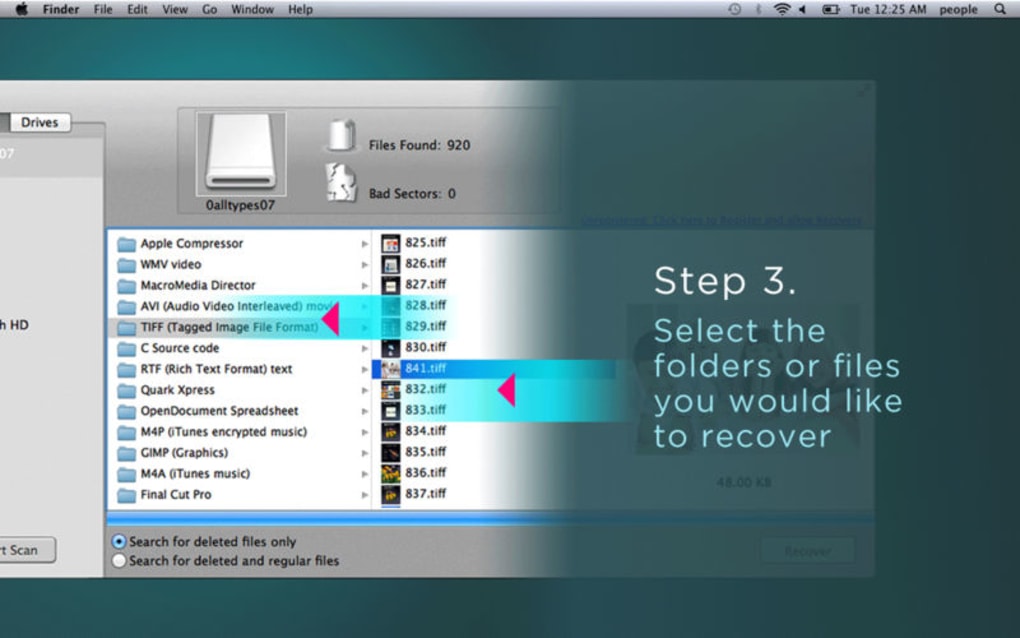
Description
Download Data Recovery Druid – Free File Recovery Tool for Windows & Mac
Overview – What Is Data Recovery Druid?
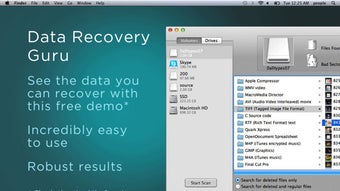
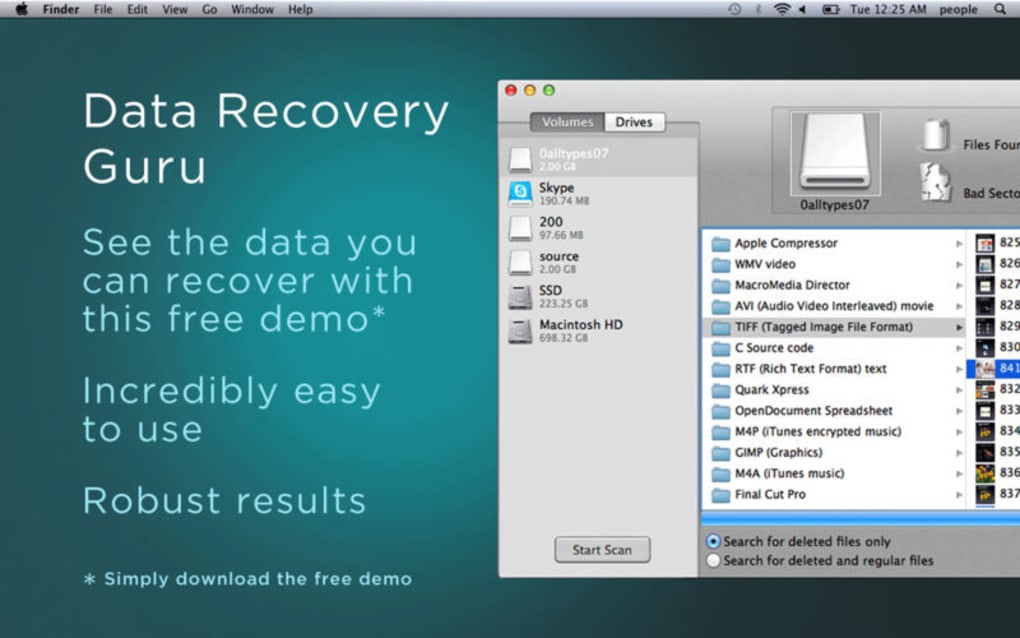
Data Recovery Druid is a free, lightweight utility designed to help users retrieve lost, deleted, or corrupted files without the need for a paid subscription or a complex suite of tools. Built with simplicity in mind, the application offers a clean, one‑click recovery experience that appeals to both novices and seasoned technicians. When a file disappears from the recycle bin, a hard‑drive partition gets corrupted, or a storage device suffers accidental formatting, Data Recovery Druid steps in to scan the underlying sectors and present recoverable items in an intuitive list. The software automatically detects the operating system, presents a left‑hand navigation pane for quick folder selection, and allows users to restore files to their original location or a new safe directory. While it does not boast the advanced deep‑scan algorithms found in premium competitors like DiskDrill, its core strength lies in speed, ease of use, and zero cost. The free download is hosted on the official website, which also provides a built‑in startup scan to identify recoverable data as soon as the program launches. For anyone looking for a secure, no‑frills solution to recover accidentally deleted documents, photos, or videos, Data Recovery Druid offers a compelling balance of functionality and user‑friendliness.
Key Features of Data Recovery Druid
- One‑Click Recovery: Initiate a full scan or a targeted folder scan with a single button, eliminating the need to configure complex parameters.
- Simple Dashboard: A left‑hand navigation menu lets you choose drives, partitions, or specific folders for quick scanning.
- Preview Before Restore: View thumbnails of images, snippets of text files, and basic metadata to confirm the file you want to recover.
- Automatic OS Detection: The installer recognizes Windows or macOS environments and configures the appropriate drivers automatically.
- Secure Recovery Process: All scans run locally; no data is uploaded to the cloud, ensuring privacy and compliance with data‑protection standards.
- Free Updates: The developer releases periodic updates that improve scan speed and add minor format support without charging users.
- Exportable Scan Report: After a recovery session, you can export a CSV report listing recovered files, their original paths, and sizes.
- Lightweight Installer: The setup package is under 20 MB, making it ideal for quick downloads on limited bandwidth connections.
These features collectively create a tool that prioritizes accessibility over exhaustive depth. While Data Recovery Druid may not support every exotic file system (e.g., ext4 or APFS deep‑scan), its core capabilities cover the most common scenarios encountered by home users and small‑business owners. The one‑click approach reduces the learning curve, allowing users to focus on the files they need rather than navigating a maze of settings. Additionally, the preview function helps avoid duplicate restores, saving both time and storage space.
Installation, Setup, and Compatibility
Getting Data Recovery Druid up and running is intentionally straightforward. Follow these steps to ensure a smooth installation on either Windows or macOS:
- Download the Installer: Visit the official Data Recovery Druid website and click the “Free Download” button. The server automatically detects your operating system and serves the correct executable (
.exefor Windows,.dmgfor macOS). - Run the Installer: On Windows, double‑click the
.exefile and accept the User Account Control prompt. On macOS, open the.dmg, drag the application to yourApplicationsfolder, and confirm any security warnings in System Preferences. - Initial Launch: When you first open Data Recovery Druid, a brief startup scan runs automatically to locate attached storage devices. This process typically takes 30 seconds to a minute, depending on drive size.
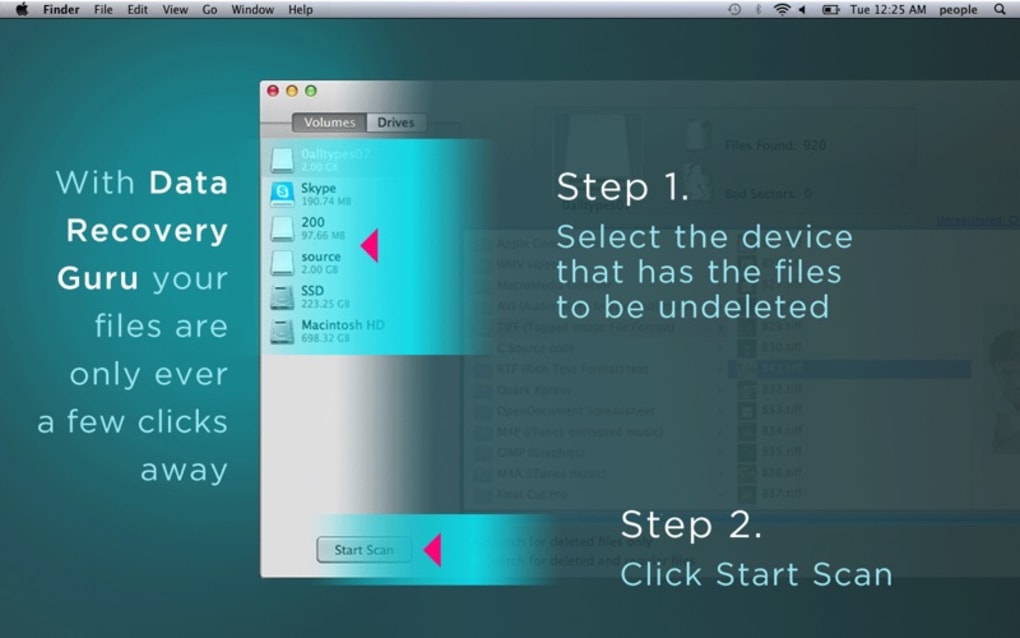
- Select Scan Mode: Choose between “Quick Scan” (searches recently deleted file tables) or “Full Scan” (deep sector analysis). For most accidental deletions, Quick Scan suffices; for formatted drives, opt for Full Scan.
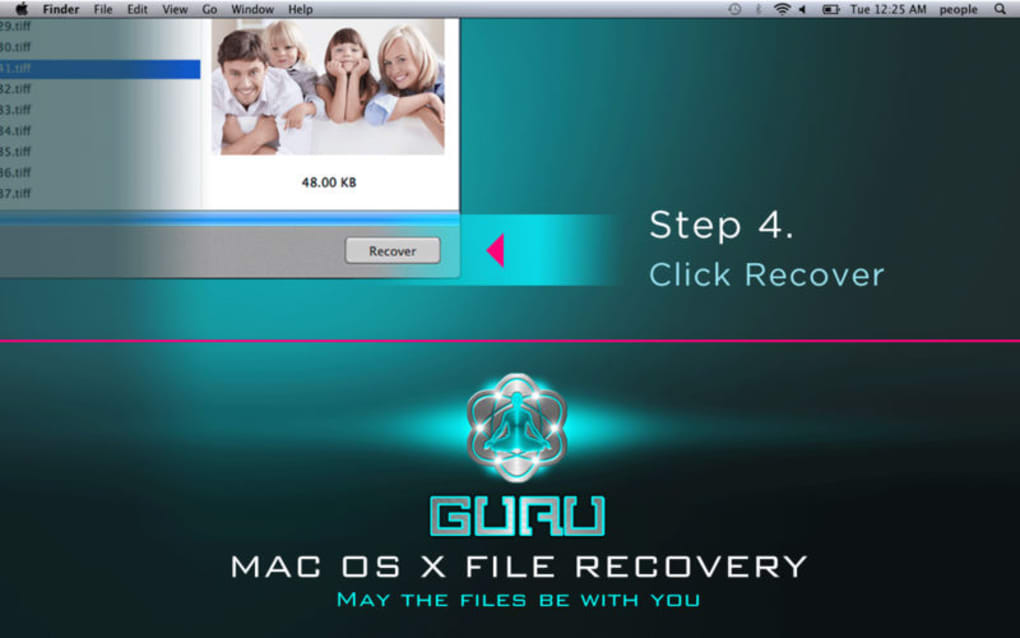
- Recover Files: Once the scan finishes, browse the results, preview files, and click the “Recover” button. Choose a safe destination—preferably a different drive—to avoid overwriting recoverable data.
Supported Operating Systems: Data Recovery Druid runs on Windows 10, Windows 11, and macOS 10.14 (Mojave) or later. The application does not have native Linux support, though advanced users can run the Windows version via Wine or a virtual machine. System requirements are modest: a minimum of 2 GB RAM, 200 MB of free disk space for the program itself, and an Intel or Apple Silicon processor. Because the software works at the file‑system level, it can recover files from NTFS, FAT32, exFAT, and HFS+ volumes. However, it does not currently support the newer APFS snapshot recovery, which may limit its effectiveness on the latest macOS installations. Overall, the lightweight nature of the installer and the modest hardware demands make Data Recovery Druid an accessible choice for most personal computers.
Pros, Cons, and Frequently Asked Questions
Pros
- Completely free with no hidden fees or trial limitations.
- Intuitive one‑click interface ideal for non‑technical users.
- Fast Quick Scan for recently deleted files.
- Secure, local processing – no cloud upload of personal data.
- Lightweight installer and low system footprint.
Cons
- Lacks deep‑scan capabilities for heavily corrupted drives.
- No native support for Linux or advanced file systems like ext4/APFS.
- Limited file‑type coverage; some proprietary formats may not be recognized.
- No batch scheduling or automated background scans.
- Recovery success depends on how quickly you act after data loss.
FAQ – Your Data Recovery Druid Questions Answered
Is Data Recovery Druid really free, or does it have hidden costs?
The application is 100 % free to download, install, and use. There are no premium upgrades, subscription fees, or trial periods that limit functionality. All features described on the official site are available without payment.
Can I use Data Recovery Druid on an external USB drive?
Yes. The software detects any connected storage device, including USB flash drives, external hard drives, and SD cards. Simply select the external volume from the left‑hand navigation pane before starting a scan.
What happens if the program cannot find my deleted files?
If a Quick Scan does not locate the missing files, switch to Full Scan, which examines the raw disk sectors. Keep in mind that if the data has been overwritten, recovery may be impossible regardless of the tool used.
Does Data Recovery Druid work on the newest macOS versions?
The current version supports macOS 10.14 (Mojave) and later, including macOS 13 Ventura. However, it does not yet handle APFS snapshots, which are increasingly common on the latest macOS releases.
Is there a way to preview files before I recover them?
Yes. The results pane offers thumbnail previews for images, a short text snippet for documents, and basic metadata (file size, original path) for all recoverable items, helping you confirm the correct files before restoration.
Final Verdict – Should You Download Data Recovery Druid?
For users who need a quick, no‑cost solution to retrieve accidentally deleted documents, photos, or small media files, Data Recovery Druid delivers exactly what it promises: a secure, user‑friendly interface that performs reliable scans on Windows and macOS. Its one‑click recovery workflow eliminates the intimidation factor that often accompanies more feature‑rich competitors. While power users may miss deep‑scan options, multi‑volume batch processing, or Linux compatibility, the trade‑off is a lightweight program that respects privacy by keeping every scan on the local machine. If you’ve recently emptied the recycle bin, formatted a USB stick, or experienced a minor drive corruption, give Data Recovery Druid a try. The free download, straightforward installation, and built‑in preview tools make it a practical first line of defense against data loss.
Pros: Free, simple UI, fast Quick Scan, secure local processing.
Cons: No deep‑scan for severely corrupted drives, limited OS support, no Linux version.
Ready to recover your missing files? Click here to download Data Recovery Druid now and start restoring your data in just a few clicks.
Guides & Tutorials for Data Recovery Druid
How to install Data Recovery Druid
- Click the Preview / Download button above.
- Once redirected, accept the terms and click Install.
- Wait for the Data Recovery Druid download to finish on your device.
How to use Data Recovery Druid
This software is primarily used for its core features described above. Open the app after installation to explore its capabilities.
User Reviews for Data Recovery Druid 0
No reviews found





.webp)